Arrest-system
Schedule
Sub-tasks
Notes
Specification (from Trello)
Arrest System — Summary
This system has two parts.
Part 1: Apprehension. Officers (a specific group) get proximity prompts when near a player. They cuff the player, then grab and walk them to the station. At the station they process them through the Arrest UI, which sends them to prison.
Part 2: Prison. Once inside, the prisoner gets a clock UI and either a timer UI or a work points UI, depending on their sentence. The clock UI displays the current prison period, and the prison day cycles through three periods: work (courtyard), cell time (locked in cell), and socialization (free movement in the cell yard). Normal-sentence prisoners get the timer UI showing remaining time. Work-sentence prisoners get the work points UI showing how many work points they have left before release.
It also includes criminal records (added per arrest, searchable by other players) and warrant issuing. Everything connects to the in-game universal notification UI, and the HUD shows a "detained" symbol while a player is held.
Specifics for each part are below.
Do any prior script foundations exist on this: No.
What were we inspired by: The arrest system is heavily inspired by the New Haven County and Clark County RP games. Videos from players who roleplayed as police officers in that genre exist online and outline exactly the kind of functionality we're after, so use those as supplementary reference if you need it.
[https://www.youtube.com/watch?v=E0CtcpqTJmc](https://www.youtube.com/watch?v=E0CtcpqTJmc "smartCard-embed")
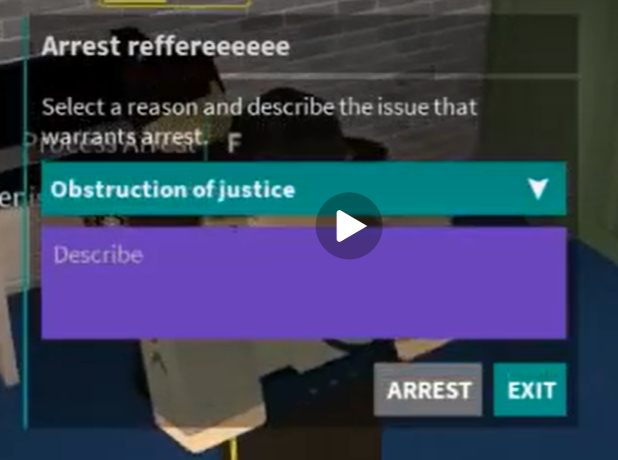
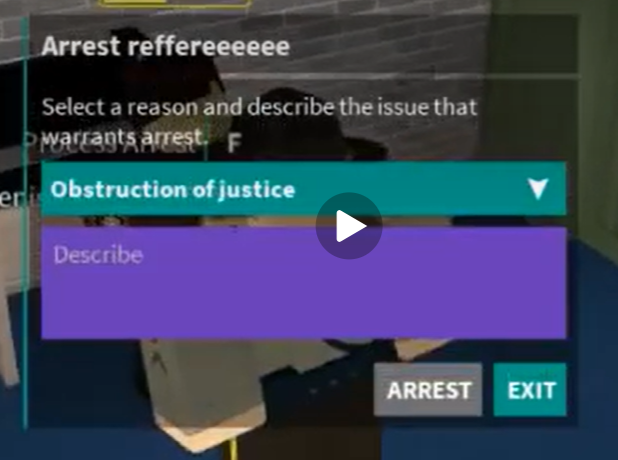
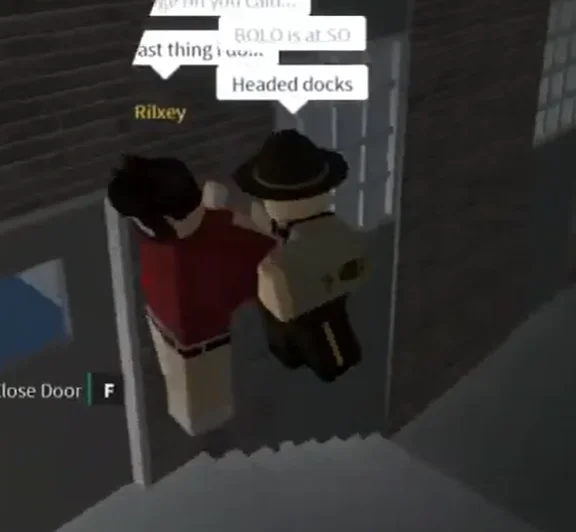
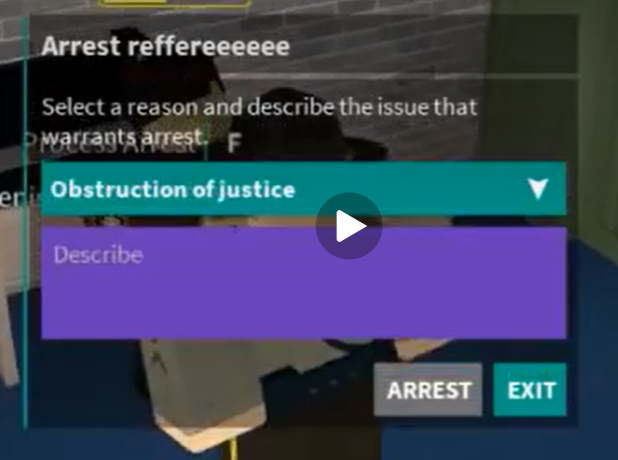
[IMAGE 1: picture displaying the arrest button where you select crimes and reason]
21:15: Booking sequence, similar to what we will have in our game.
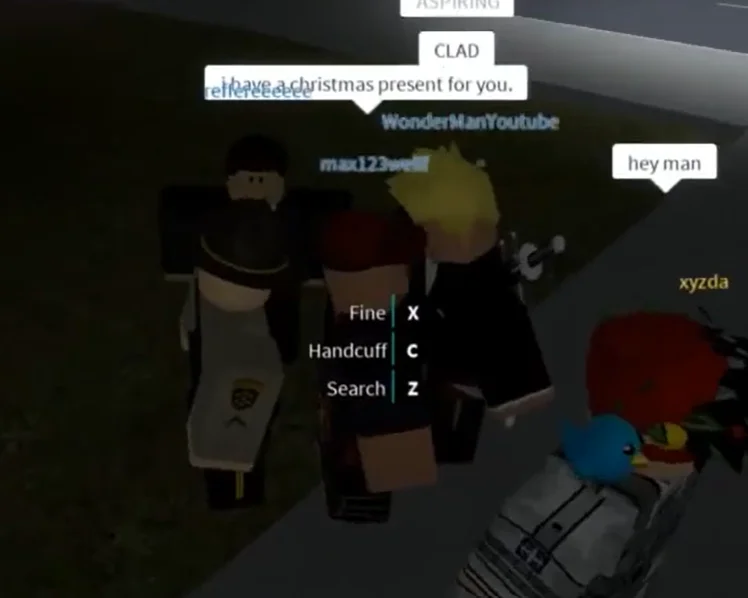
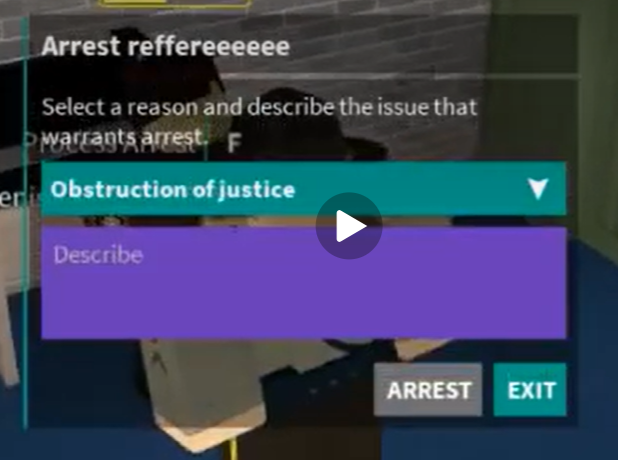
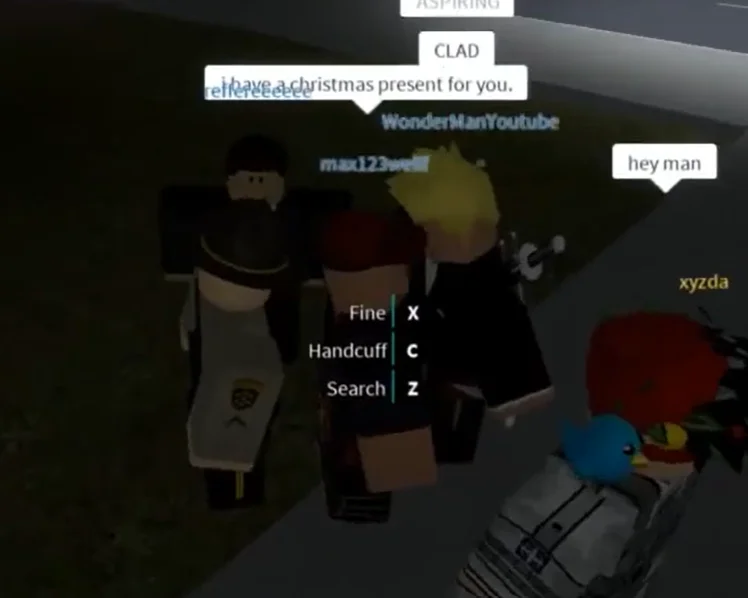
14:29: Shows the prompts an officer with arresting privileges gets when walking close to ANYONE in-game. For our game they only get Handcuff and Search.
[IMAGE 2: picture showing the proximity prompt when an arresting officer approaches any player and has the perms]
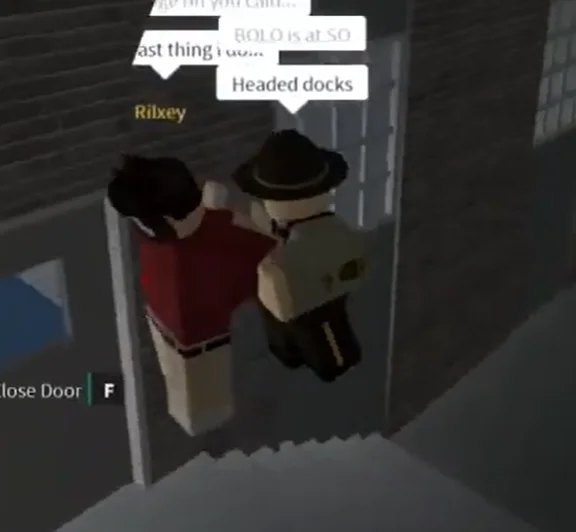
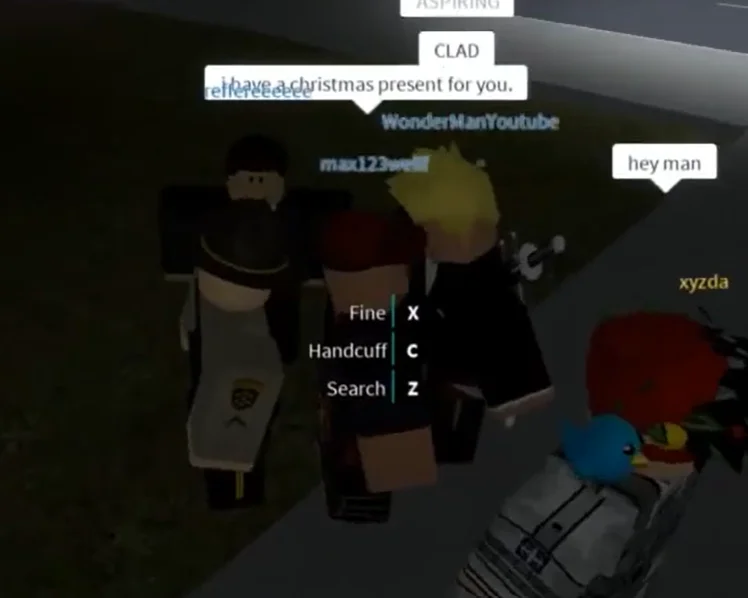
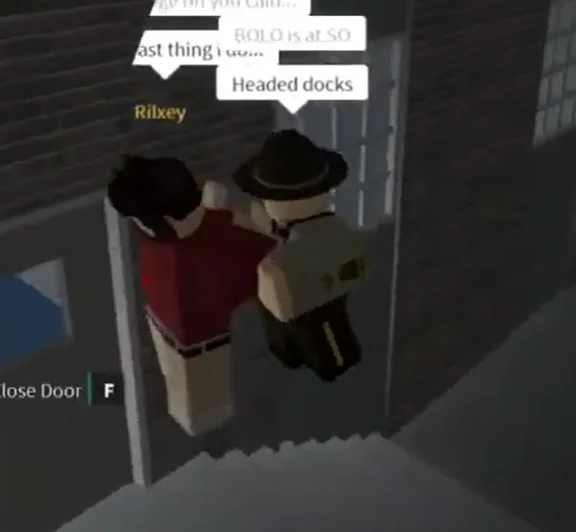
[IMAGE 3: picture shows a player grabbed in front of the arresting officer, we will ALSO have this in our game. Shows the officer grabbing a suspect in front of him, like walking him.]
UI location: The UI that needs to be scripted is found under the Arrest System ScreenGui.
Arrest Functionality
When a person with arresting privileges walks up to any person in-game, they get the PROXIMITY prompts HANDCUFF and SEARCH visible on the suspect's avatar.
If the arresting officer clicks handcuffs, the handcuffed player gets CUFFS on their hands, and their hands are placed behind their backs. The detainee's walkspeed is also heavily reduced. NOTE: When clicking CUFF, the officer does not GRAB the detainee.
After a person is HANDCUFFED, a new proximity prompt named GRAB is visible for the arresting officer. When you click GRAB, the detainee is grabbed in front of the officer, and he is basically manhandling him.
When you have grabbed a person, the proximity prompt UNGRAB is visible. If you UNGRAB, you release him from your manhandling control. If the suspect is still cuffed, a proximity prompt named UNCUFF will appear. If the suspect is uncuffed, they return to normal.
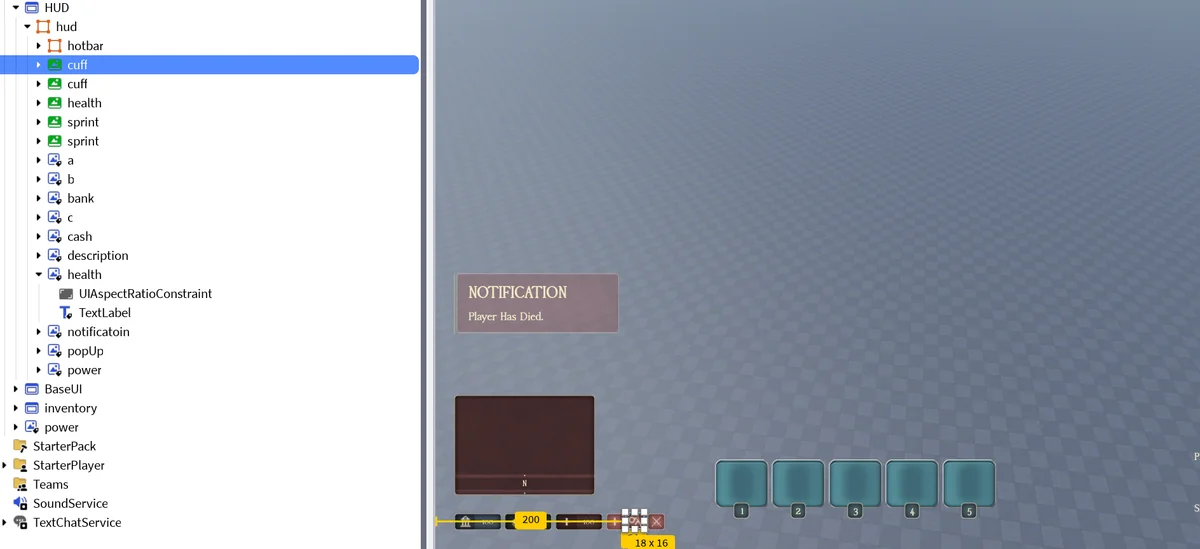
If a person is cuffed, they get the CUFF HUD symbol alongside their minimap, and also a notification saying YOU HAVE BEEN HANDCUFFED above the minimap on the universal notification GUI. This notification does not go away automatically, and the user will have to press X to get it removed. It stays on record.
[IMAGE 5: shows the HUD handcuff symbol when you're in cuffs]
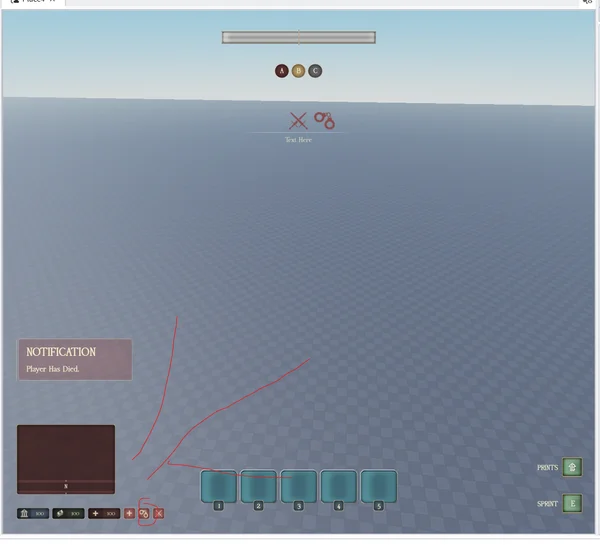
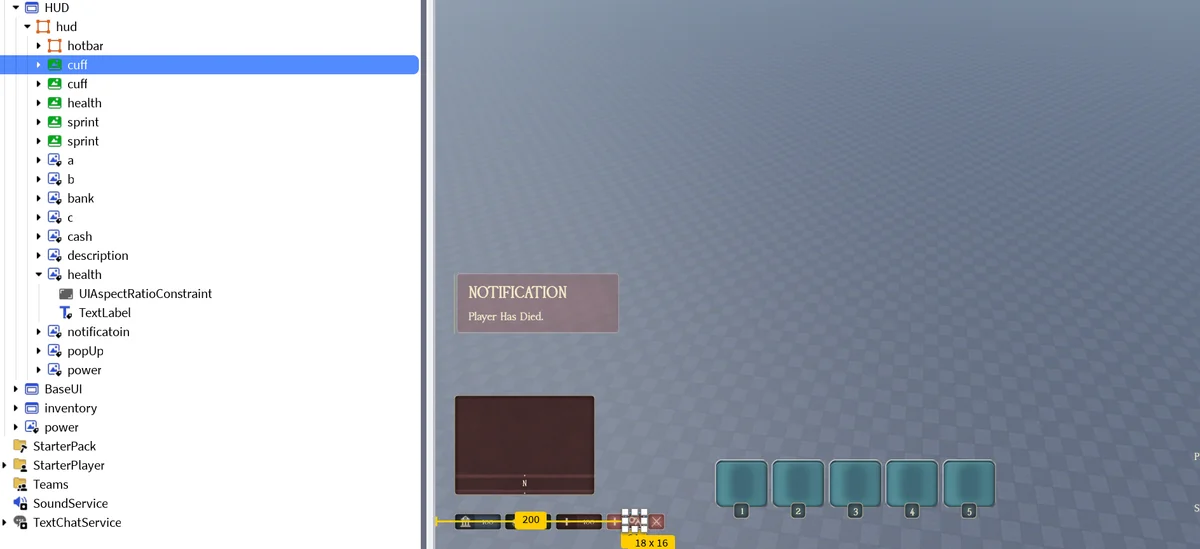
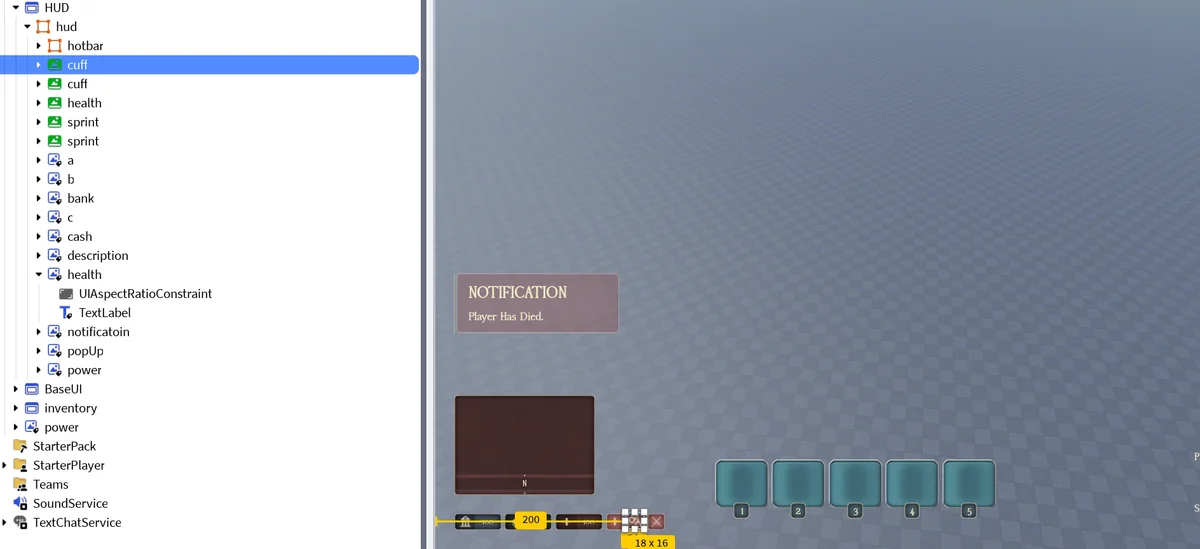
The arrest symbol HUD is hud - cuff. Symbol with handcuffs.
[IMAGE 6: shows the arrest symbol file location]
Police officer can bring a person who is CUFFED AND GRABBED to an ARREST STATION ZONE. Once the arresting officer is inside of this zone, they get a proximity prompt called ARREST, where they process arrest on the player. Player msut be GRABBED AND CUFFED and inside arrest-zone for this prompt to appear. They only get this at the police station in a specific zone, in front of a computer. They also get the proximity prompt LABOUR, two different prompts for if you want to issue forced labour sentence and normal sentence.
UI Breakdown
Each UI below is its own task. The UI name is the header, and what needs to be scripted is underneath.
issuearrest
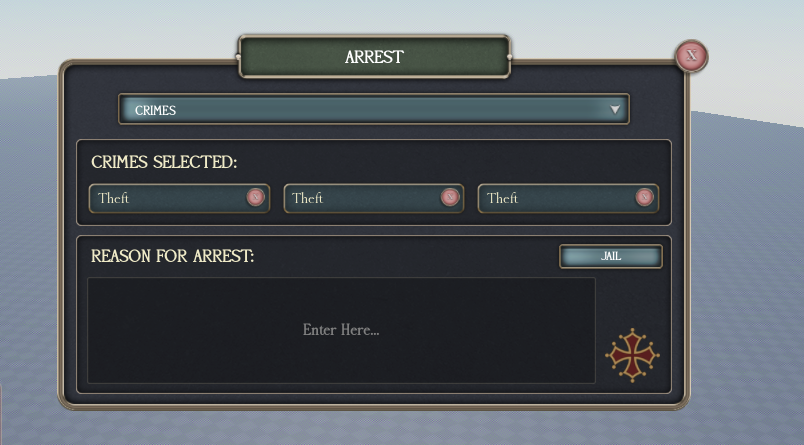
UI panel for issuing arrest is named "issuearrest", found under ScreenGui Arrest System. In a config there should be a config where you can put in crimes, and the weight they have. Weight means how much time each crime is. How much time you get in prison. On this UI they can click a dropdown UI, and when they get the dropdown UI, the officer can select between these crimes. Max 3 CRIMES per sentence.
This UI is linked to webhook, so when an arrest is processed it gets sent to a Discord server of our choosing to keep control. Webhook should include name of arrested, arresting officer, reason, and crimes. You can add profile pictures as well.
Once an arrest is processed, the detainee gets a NOTIFICATION on the universal notification GUI, which does not automatically go away, with the arrest reason and time. So incase if someone gets arrested AFK they can see it when they come back.
issuearrestvariant
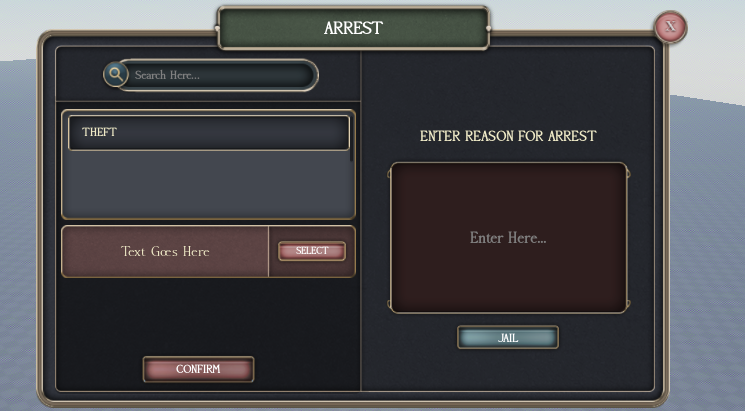
Another variant of the issue arrest panel. You can see which one of those (issuearrest or issuearrestvariant) you want to use.
labourSentence
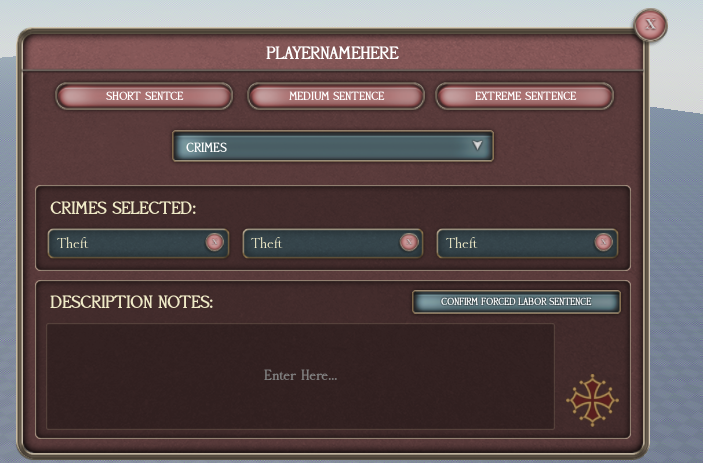
UI panel for work sentence is found under: labourSentence. Here they get a dropdown GUI and select crimes. But the intensity of the sentence is decided by short, medium and extreme sentence. Find a dynamic work amount for each sentence.
This UI is linked to webhook, so when an arrest is processed it gets sent to a Discord server of our choosing to keep control.
arresttimer
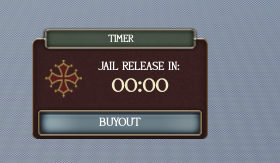
Once arrested (normal sentence panel), the user sees remaining time through arresttimer UI. Here it's possible to buy yourself out of the sentence using a devproduct. Add functionality and config for that, a dynamic price based on length. If you buy yourself out you should get a notification on the universal NOTIFICATION GUI, not fadeable, that you bought yourself out.
criminal2
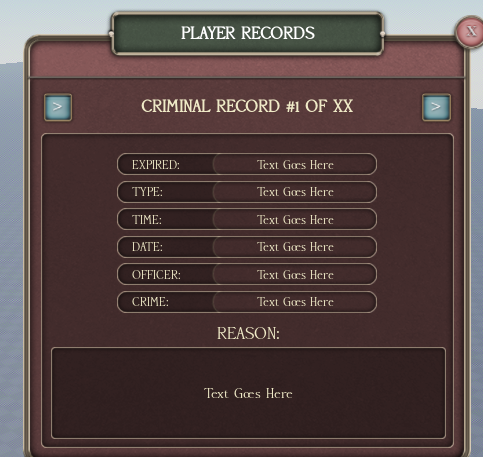
criminal2 UI is a UI where you can search up officers, and see all the arrests they made. Once a record is opened, criminalrecorddetails is used to display records. If you are viewing records of a specific officer, then the record ARROW should, if you click, show his arrests, not the person you clicked on's arrest history. It's the officer's arrest history. You open this UI via a proximity prompt which is accesable from a computer.
searchcriminal
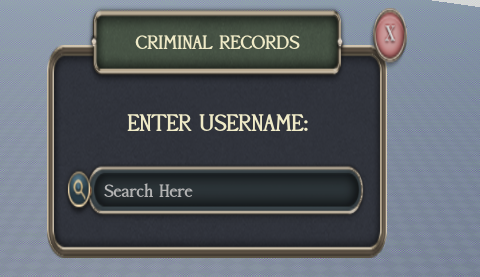
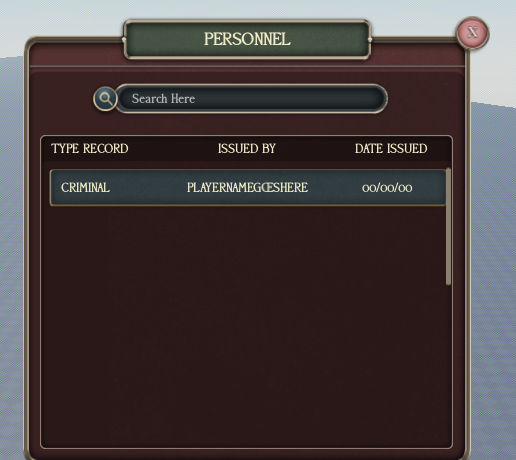
searchcriminal is a UI anyone can use. If you search up a name, you get all the arrest records of that person. First it guides you to personellrecords, but if you click a SPECIFIC ARREST, you switch to the UI criminalrecorddetails, where you can press the arrow etc etc.
criminalrecorddetails
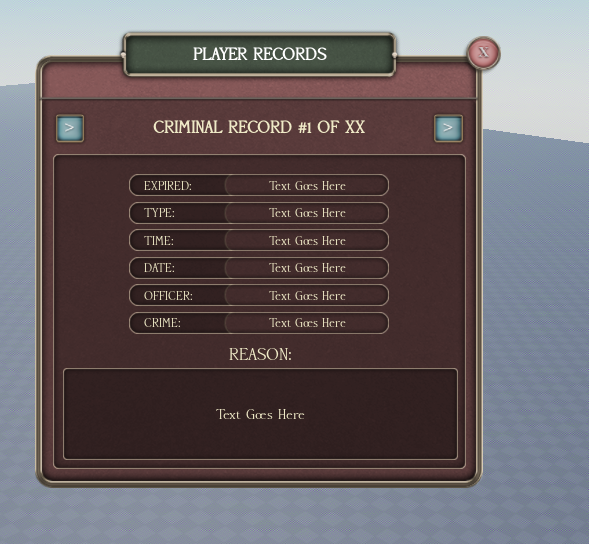
Used to display the records when a specific record is opened (from criminal2 or searchcriminal). Has an ARROW to step through records, as described above.
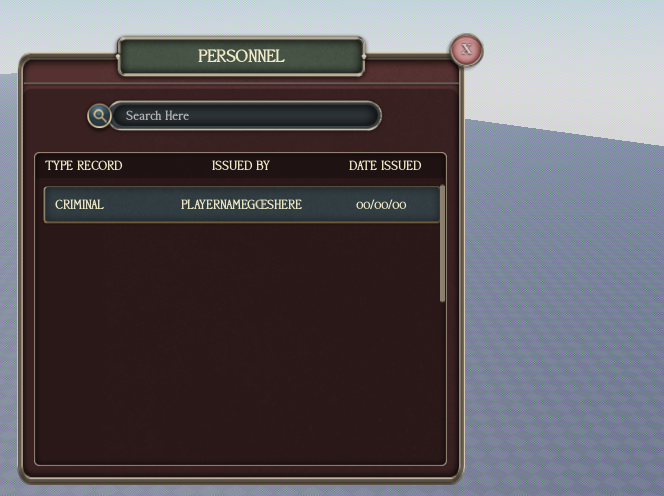
personellrecords
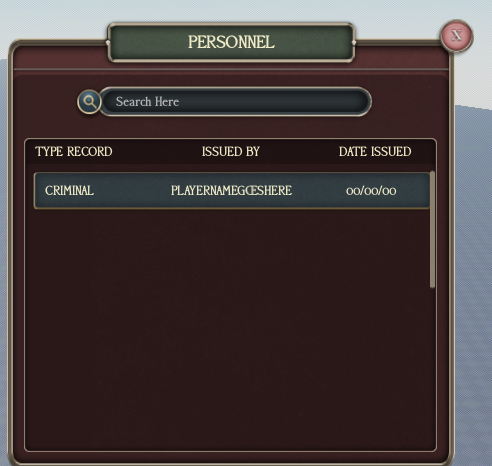
Where searchcriminal first guides you when you search a name, before you click into a specific arrest.
dearrest
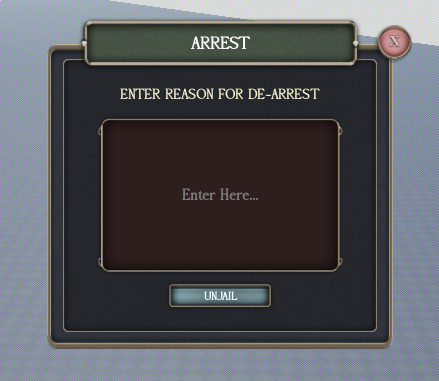
dearrest UI is an option to dearrest. You get it at specific locations as a proximity prompt on the person.
warrant1
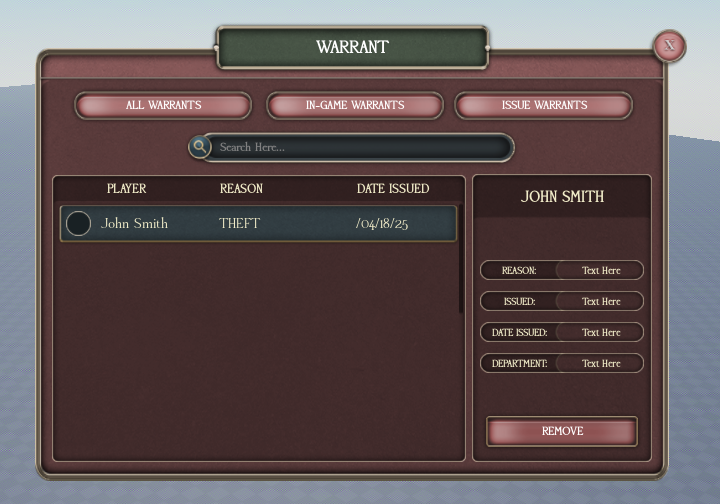
warrant1 is a page where you see the active warrants in-game. If you click a warrant, a side UI pops up as on the screen, where you can remove the warrant. Removing a warrant must send webhook. We have in-game warrants and all warrants. On UIs like these with 3 menu alternatives, SHOW a green button on the selected alternative so we know which one we are at. The green button would be the IN-GAME WARRANTS red button on the top. You can use the same design on WARRANT1 for the all warrants menu as well.
issuewarrant
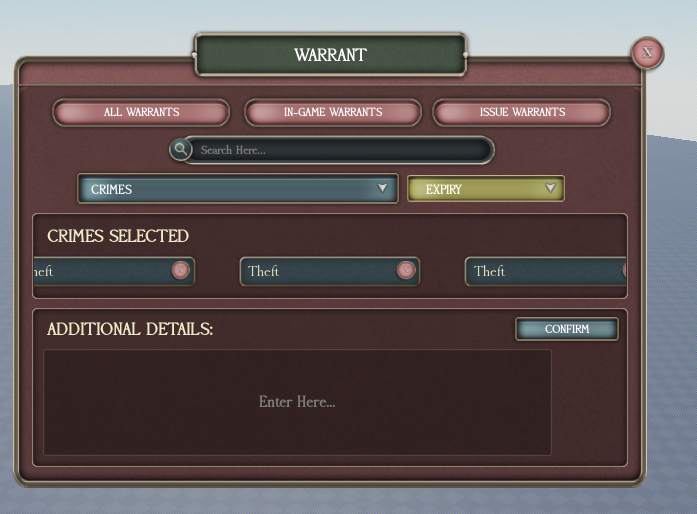
issuewarrant is the page where you issue the warrants. After you issue a warrant, the player who has a warrant MUST get notifications, which do not automatically go away (you have to press X for it to go away) every 20-30 minutes notifying them that they have an active warrant.
warrantdetails
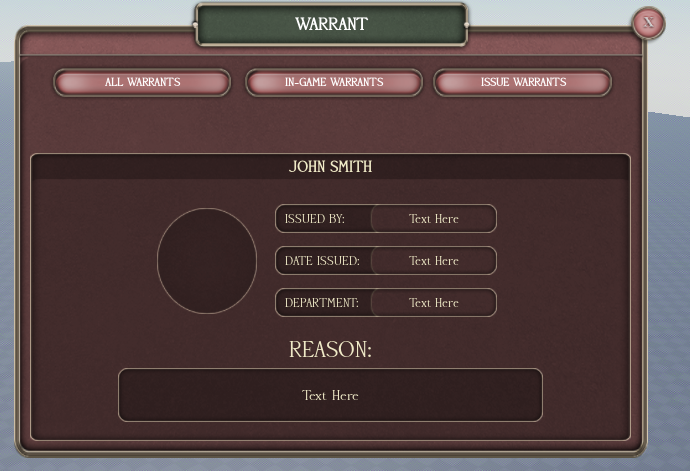
warrantdetails are the specific warrant detail page. If you click on a specific warrant, that should pop up. Add a back button.
work
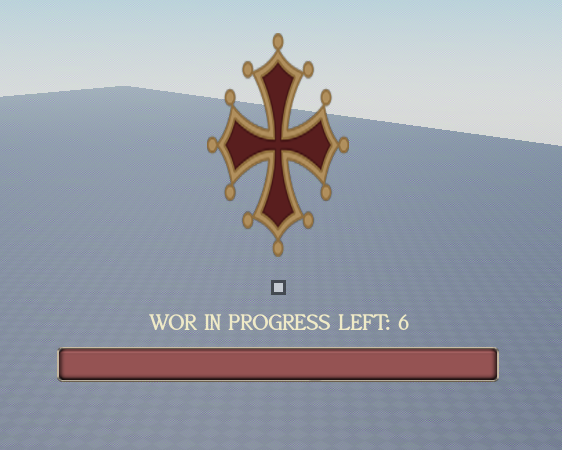
work is the UI where you see work points remaining.
Once in Prison, the Day Works Like This
WE HAVE 3 TIMES:
CELLTIME: all prisoners must be in cell. Send an announcement to everyone in the prison system under normal sentences using raidmessage. When a time changes, send out messages for that, send out an announcement. Add the possibility for a AUDIO to play as well.
SOCIALIZATION TIME: during this time, all prison doors must open automatically but can be closed manually. Prisoners are to be in cellzone.
COURTYARD TIME: prisoners are allowed to yard. Announcement must say that.
This system runs all times for prisoners.
Prisoners must spawn in a random cell.
For work prisoners, they are outside of this. They have to work at all times. The work required to get free from jail should be to carry rocks to the conveyer belt where rocks disappear, or digging up dirt. For each activity you do, a work point gets deducted from your balance. When work is completed, you are released. This means, you have to script a work system these prisoners can get. Universal notification UI can be used for notifications here.
Add as many sounds and interactions as possible, more interaction and character means a better game. Hope you understood the zones. For dearrest, it's a prompt you get in the police zone. Make a universal police zone where you can get dearrest and arrest proximity prompt if you have them cuffed.
Location of different prison areas are on map:
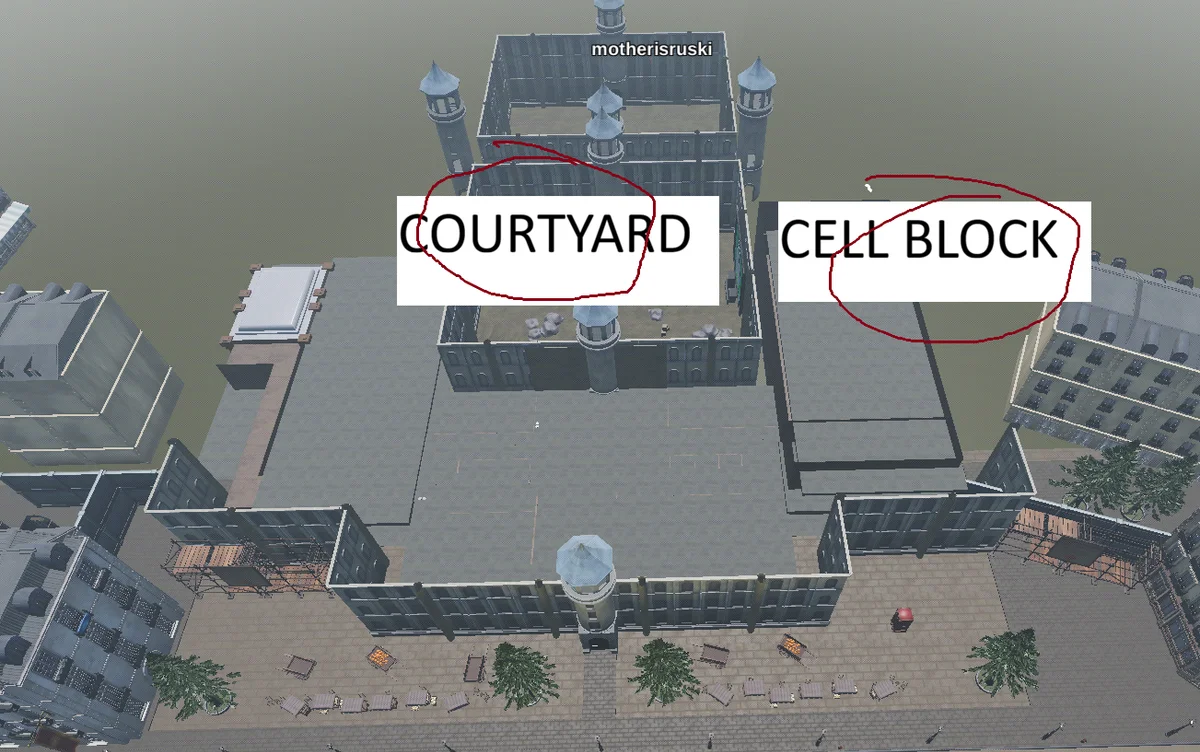
Wherever possible add in extra notifications etc.
Pictures