Weapon loadout GUI and shop
Schedule
Sub-tasks
No sub-tasks.
Notes
Specification (from Trello)
Weapon Loadout, Quick Loadout, Shop & Supply System
This is four connected UIs: the Weapon Loadout (quota), the Quick Loadout (respawn kit), the Weapon Shop, and the Supply Depot. Each is described below.
1. Weapon Loadout (UI name: weaponLoadout)
[IMAGE: weaponLoadout UI]
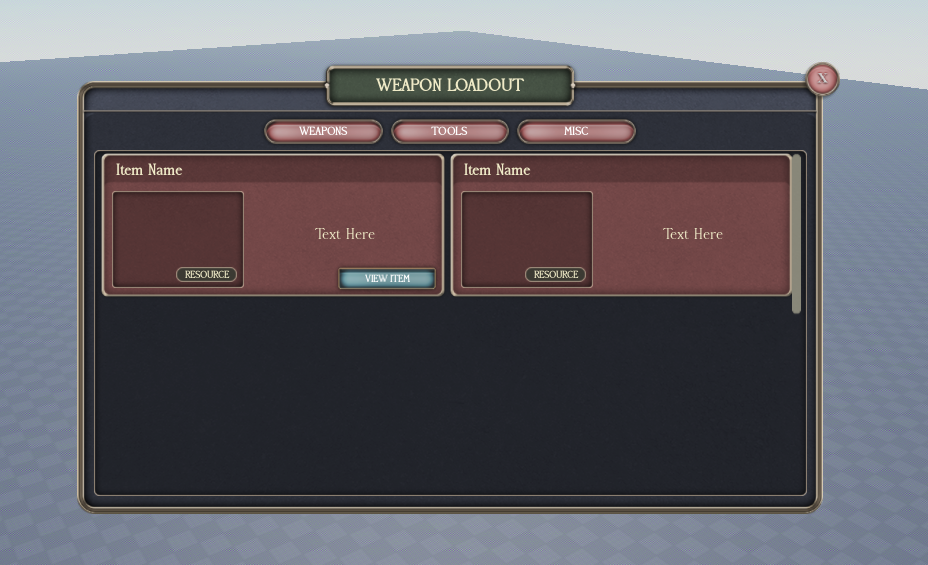
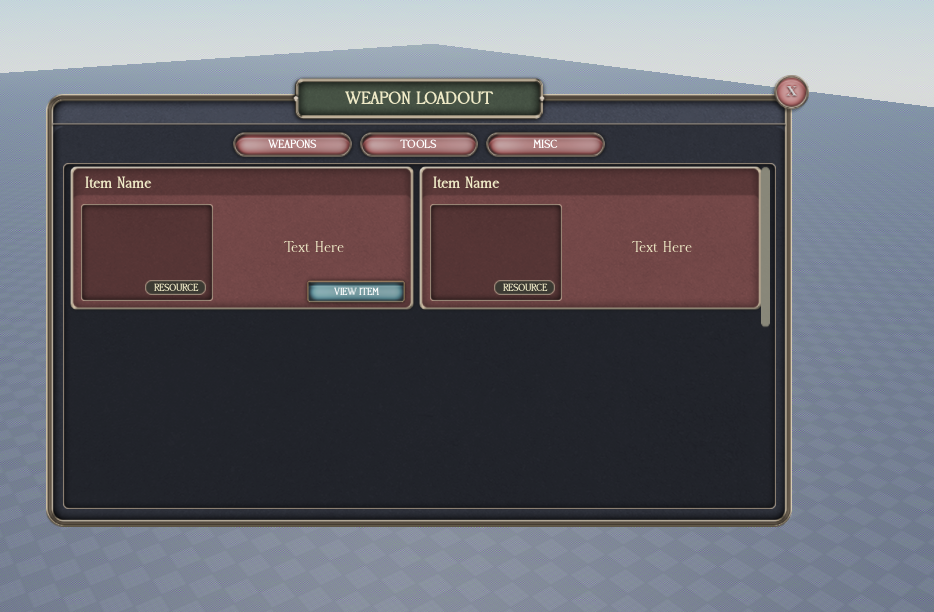
A GUI that limits your guns based on a quota. This is where soldiers take out weapons from the central storage, but this UI also holds their private on-duty storage of tools and weapons. There must be a quota for taking things out.
Quota rules:
- Quota is per team and resets every 3 hours, per team. So a different team gets the arrest tool, etc etc. What tools you get is editable in config and based on team.
- Quota must be increasable through modeator control. Must be able to refill through commands for certain divisions.
GUI (from the picture):
- Title bar "WEAPON LOADOUT" with an X to close.
- Category tabs: WEAPONS, TOOLS, MISC.
- Item frames: each shows Item Name, preview, description ("Text Here"), a RESOURCE tag, and a VIEW ITEM button.
The items in here are your "resources" (the RESOURCE tag). Your loadout is resource-dependent, and the other UIs below add to or pull from this. You have to add qouta, and remaining tools text etc to the UI.
2. Quick Loadout
UI NAME: quickloadout
[IMAGE: QUICK LOADOUT UI]
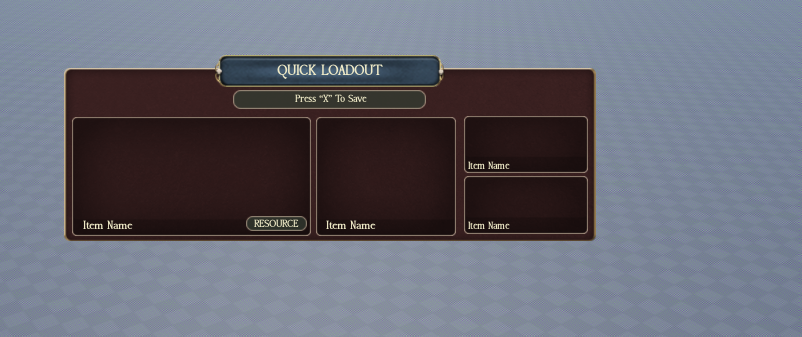
The Quick Loadout UI is opened at the same time, inside the quartermaster room. You get a button on your universal keybind GUI to open it when you are at a speciic spot. It is seperate from the weaponloadout UI. It basically serves as a shortcut, so if you have enough tools, you get it automatically if you die or rejoin the game.
How it works:
- You drag guns from the RESOURCE GUI (your weapon loadout resources) into the Quick Loadout GUI. A custom resource GUI, not the main one, has to be created to fit this purpose. This UI is seperate from resource GUI.
- Press "X" to save (the picture shows the "Press 'X' To Save" bar).
- Once saved, you automatically get those guns when you respawn.
- It is resource-dependent, based on your weapon loadout. If you don't have enough tools/resources for the quick loadout, a notification error message must be sent.
- Every time you spawn with an active quick loadout, you get a notification that it was successful.
Build note: edit the UIs so you can drag tools into the Quick Loadout (rearrange / change around the buttons to make the drag-and-drop work). However you cook it up is fine, as long as it's resource-dependent based on the weapon loadout.
3. Weapon Shop
[IMAGE: WEAPON SHOP UI]
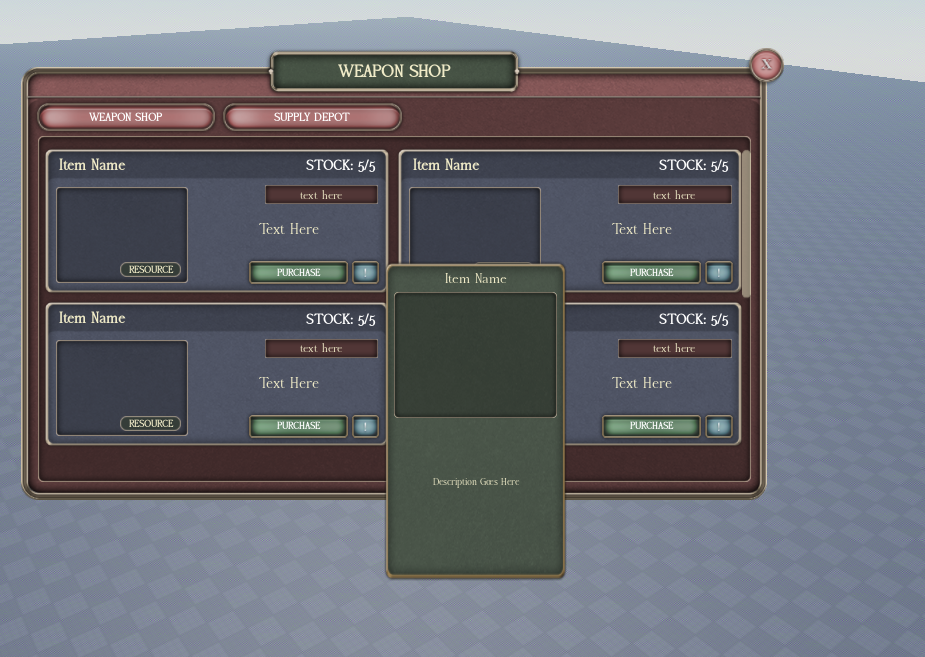
named shop1
The shop is where you buy guns. There are two versions:
Army version: when you buy a gun, you get it on your Weapon Loadout page as a RESOURCE.
Civilian version: when you buy a gun, you just get it into your inventory. So if you're carrying too much weight in your inventory, you can't buy it. For civilian version use: shop2 UI, if army personnel buy from this Ui it just goes into their inventory not the loadout store thingy.
GUI (from the picture):
- Title bar "WEAPON SHOP" with an X.
- Tabs: WEAPON SHOP, SUPPLY DEPOT.
- Item frames: each shows Item Name, a STOCK counter (e.g. STOCK: 5/5), preview, a RESOURCE tag, a description, a PURCHASE button, and an info (!) button.
- Clicking an item opens a detail panel with the Item Name, preview, and Description.
4. Supply Depot (division weapon buy page)
The Supply Depot is the division weapon buy page, reached from the tab in the shop. This is where there are supply problems and you can buy guns to add to your loadout quota, or other tools to add to your loadout inventory. Only a speicifc rank can buy using this.
Crates are marked:
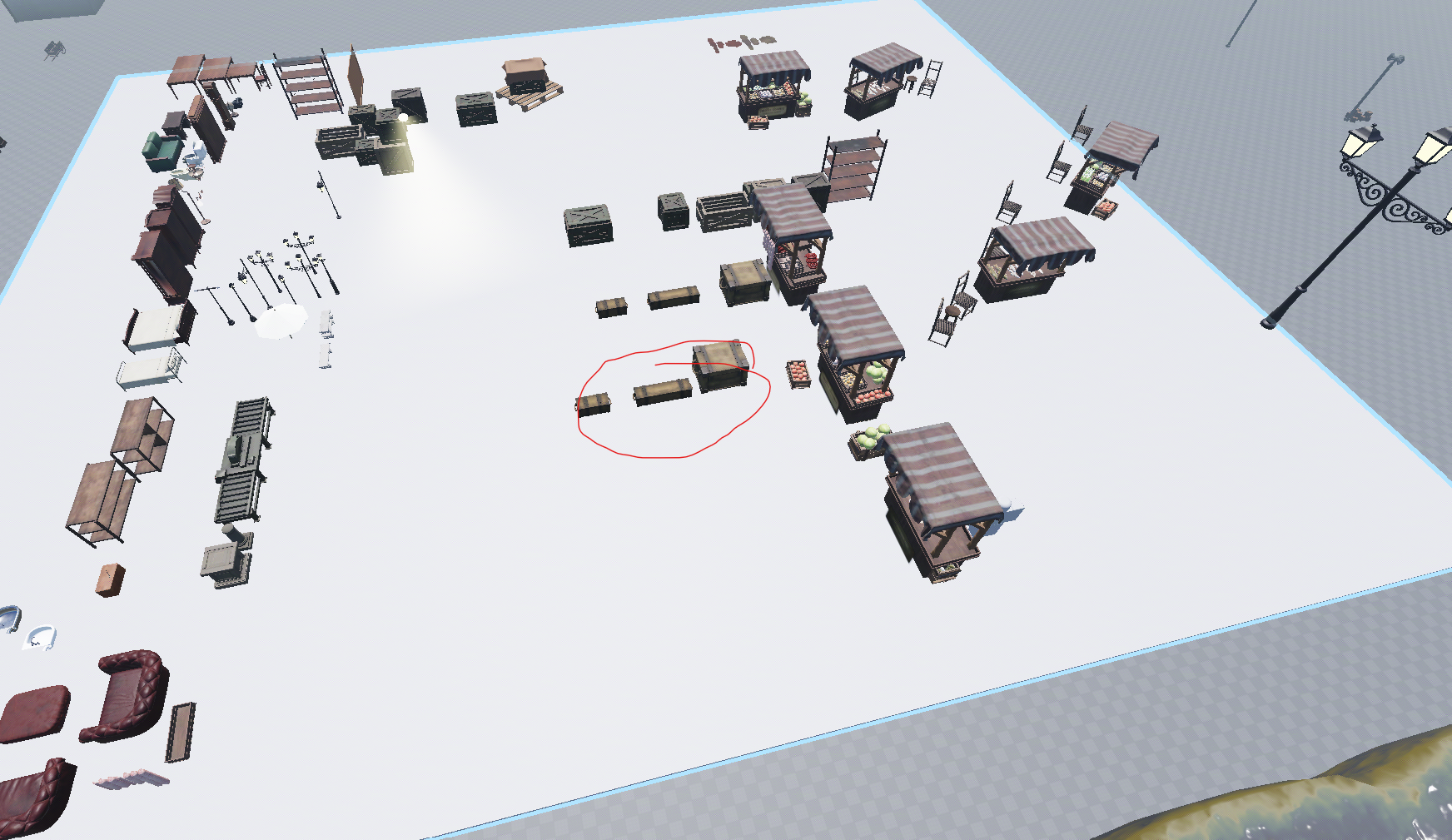
Crates: here you buy weapons by the crate. Use the crates I have here and script it so:
- You get the crate as a tool.
- You place it down on the ground.
- You click to open the top.
- It stays there forever, you can't pick it up again.
Notifications
Add notifications for: quick loadout saved, quick loadout spawn success (every spawn), not enough resources for quick loadout (error), purchase success, out of stock, inventory too heavy to buy (civilian), quota refilled, etc.
Pictures